Features
Everything that goes through the bastion, protocol by protocol.
One access policy, one secrets vault and one audit log shared by SSH, remote desktops, databases and Kubernetes. Here is what each part does.
A Basic or Standard tag shows the minimum Enterprise edition. Details are on the Editions page.
Servers and devices
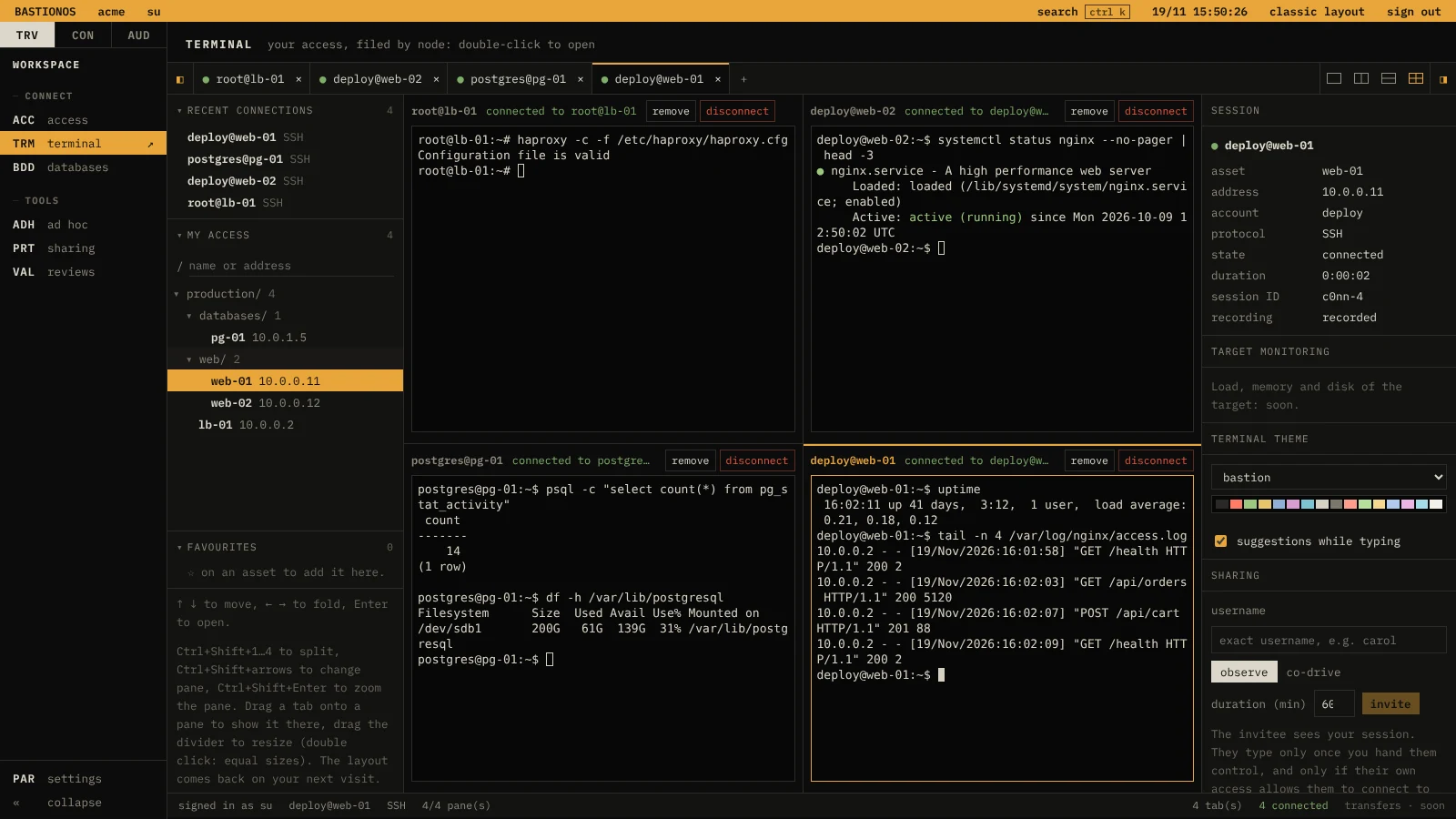
The bastion speaks SSH on both sides. Regulars keep their client and their scripts, everyone else opens a terminal in the browser.
Your SSH client
Connect with ssh -p 2222 'alice#root@web-01'@bastion, your BastionOS password and a code. sftp and scp work the same way.
Terminal in the browser
Tabs, panes side by side or in a grid, an access tree with recents and favorites, color themes for each user. Click a machine to open it.
File transfers
SFTP and SCP controlled file by file: upload and download are two separate rights, and every file is written to the log.
Telnet
For hardware that only speaks Telnet, the gateway types the password at the device's prompts. The user never sees it.
Zones, jump hosts, connectors
Machines reachable through a jump host, or behind a connector installed on site that calls out to the bastion: no inbound port to open at the customer's site. Remote gateways from Enterprise Basic.
Relay portal Basic
An Internet-facing entry point for contractors that only relays traffic: no accounts, no rights and no secrets on it. Every decision is made at the central bastion.
Ad hoc commands
One command sent to several SSH accounts at once, with each one's output and exit code shown as they arrive. Same rules, same log.
Host keys
Each target's key is remembered on first connection, then checked. A change blocks the connection until an administrator accepts it.
Databases
A proxy that speaks each database's native protocol. The user's client sees no difference, the auditor sees every query.
Native proxy
PostgreSQL, MySQL and MariaDB, MongoDB, Redis and Valkey, plus SQL Server from Enterprise Basic. TLS is mandatory between the client and the gateway.
SQL workbench
An editor in the browser, with a graphical mode and exports, for PostgreSQL, MySQL and MariaDB, plus SQL Server and Oracle Database from Enterprise Basic. Same rules, same log.
Queries logged, results never
Every query is written to the log, including the parameters of prepared statements. A password typed in a query is logged as ***.
Client certificates
For PostgreSQL, MySQL, MariaDB, MongoDB and Redis, the gateway can authenticate with a short-lived certificate issued by OpenBao and tied to the organization.
| Database | Connecting through the bastion |
|---|---|
| PostgreSQL | psql "host=bastion port=15432 user=alice#app@db-01 dbname=app sslmode=require" |
| MySQL, MariaDB | mysql -h bastion -P 13306 -u 'alice#app@db-02' -p --ssl-mode=REQUIRED |
| SQL Server | sqlcmd -S 'tcp:bastion,11433' -U 'alice#sa@db-03' |
| Redis, Valkey | redis-cli --tls -h bastion -p 16379 --user 'alice#default@cache-01' --askpass |
Desktops and Kubernetes
Windows desktops and clusters go through the same door and follow the same rules.
RDP and VNC in the browser
No client to install. The bastion opens the session with the account kept in OpenBao, and records it.
Desktop certificates
Each desktop's RDP certificate is remembered on first connection, then checked, just like an SSH key.
kubectl through the gateway
Users point kubectl at the bastion. The cluster token stays in OpenBao.
exec and attach recorded
kubectl exec and attach streams are recorded like an SSH session, and replayed the same way.
Secrets
Users open sessions, not vaults. Passwords and keys stay in OpenBao.
Built-in OpenBao or your own
BastionOS ships with an OpenBao in its own container, or plugs into the one you already run.
Write-only
A secret can be written from the console but never read back. Old versions are destroyed.
Handed over once
The gateway receives the secret wrapped, for a single use and for a few seconds. It is never written to its disk.
Rotation Standard
Passwords changed on the target from the console, SSH keys replaced by a new Ed25519 key that is checked before the old one is removed.
Account creation Standard
A privileged account on the machine can set a password or key on another account, and create it if it doesn't exist.
Scheduled rotation Standard
With Secrets Autopilot, rotations follow a schedule and are carried out by the gateways.
Access and command rules
A rule says who can go where, with which account, over which protocol, at what time and from which network. A deny always wins over an allow.
Tree-based targets
Rules target inventory folders, machines or tags. A machine added to a folder inherits its rules.
Dates and time windows
A validity period and a weekly schedule. A temporary right switches itself off.
Simulation
Before saving a rule, ask the bastion what it would decide for a given person and machine, and why.
Transfer rights
Connect, upload and download are three separate actions, granted or withdrawn rule by rule.
Command policies
Exact match, contains or regular expression. Each policy flags, blocks, or has another person approve the command before it runs.
Access requests Standard
With Access Workflow, users request access, approvers validate it, and the right expires on its own.
Identities and roles
Plug in your directory, keep your groups. The second factor is required for everyone by default.
Directories and SSO
LDAP and Active Directory with group sync in every edition. OIDC, SAML and OAuth2 per organization from Enterprise Basic.
Second factor
TOTP app or security key (passkeys). Not asked again when your identity provider has already checked it.
Organizations Standard
Several organizations in one installation. A person can belong to several, with a different role in each.
Checkbox roles
Predefined roles in every edition. Roles built page by page and feature by feature from Enterprise Basic.
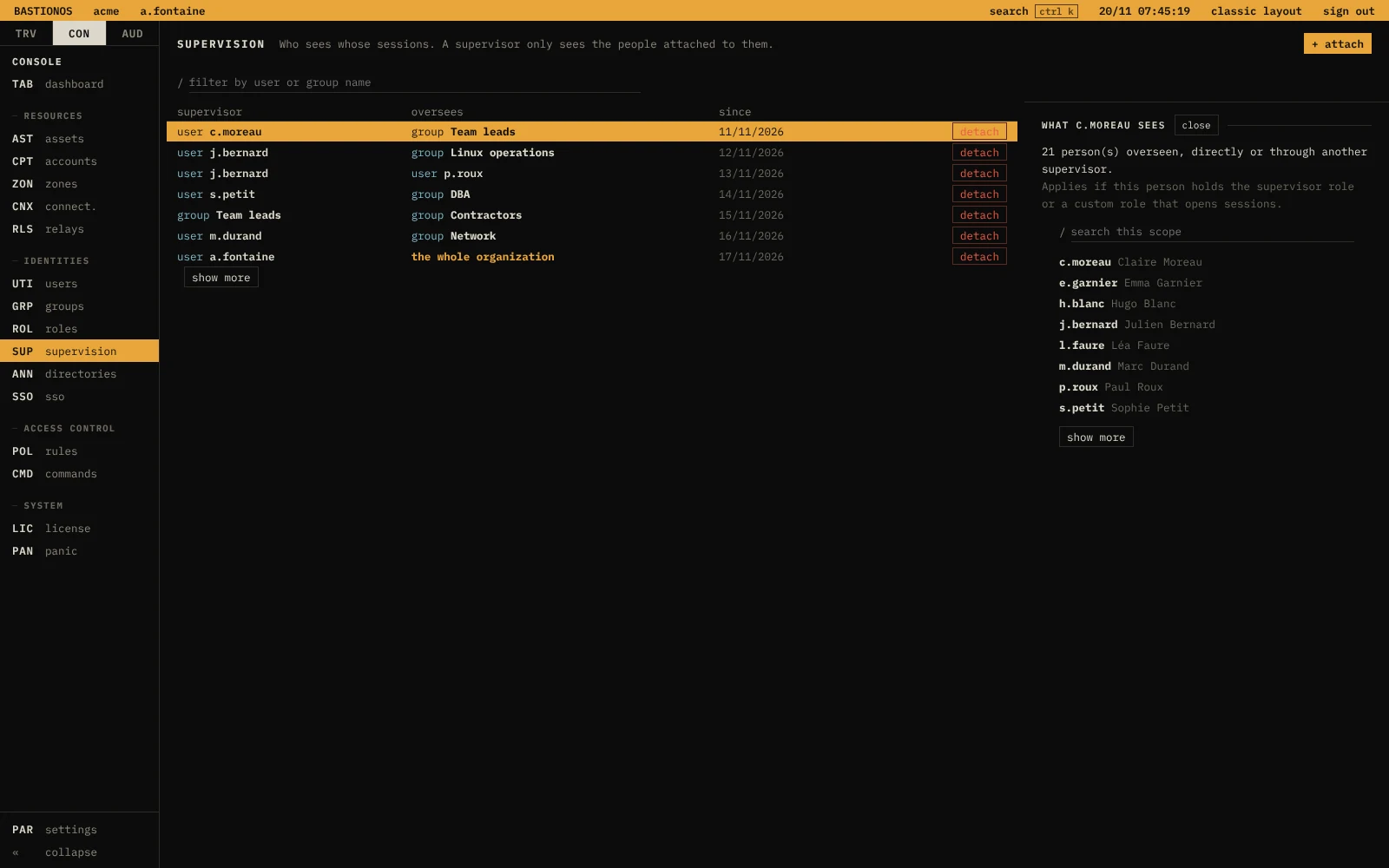
Supervisors Standard
A supervisor sees the sessions of the teams assigned to them, and those of the supervisors they manage.
Break-glass access
The first administrator is created on the server, never over the network. The same command serves as break-glass access.
Audit and oversight
Who connected, with which account, from where, under which rule, and what they did.
Encrypted recording
SSH, Telnet, remote desktops and Kubernetes are recorded, each recording encrypted with its own key drawn from OpenBao. Replay in the console.
Live Standard
Watch a session in progress, giving a reason. Cut it off if needed. Sharing lets a colleague observe or take over.
Chained and signed log
Each event is linked to the previous one, and the chain is signed: a removed or altered line shows.
Export Basic
To Loki, Elasticsearch, OpenSearch or Syslog, over mutual TLS.
Watermark
The viewer's name, the target and the time as a discreet watermark on every session screen, replays included. On by default.
Retention
Adjustable retention for the log and recordings, with automatic purging. Long-term recording retention from Enterprise Standard.
Operations
A product you install yourself must be easy to monitor, back up and upgrade, with no surprises.
High availability Standard
Active/passive in Enterprise Standard, active/active with clustered gateways in Enterprise Ultimate. A gateway being stopped leaves the load balancer first, then shuts down cleanly.
Without Internet
One signed bundle holds every image. Check the signature, load, push to your internal registry.
Backup and restore
A rehearsed procedure, with the secrets file encrypted by a passphrase.
Metrics and traces
Prometheus and OpenTelemetry for every component.
Panic mode
Seal the installation in one click, reopen it with several keys. See the Security page.
If the core goes down
Database unreachable: new connections are refused. Control plane unreachable: open sessions continue until a limit you set.
Next
See it run on your own hardware.
One test machine is enough to try everything.